Quiz Assignment
Assign quizzes to your batches and monitor completion rates.
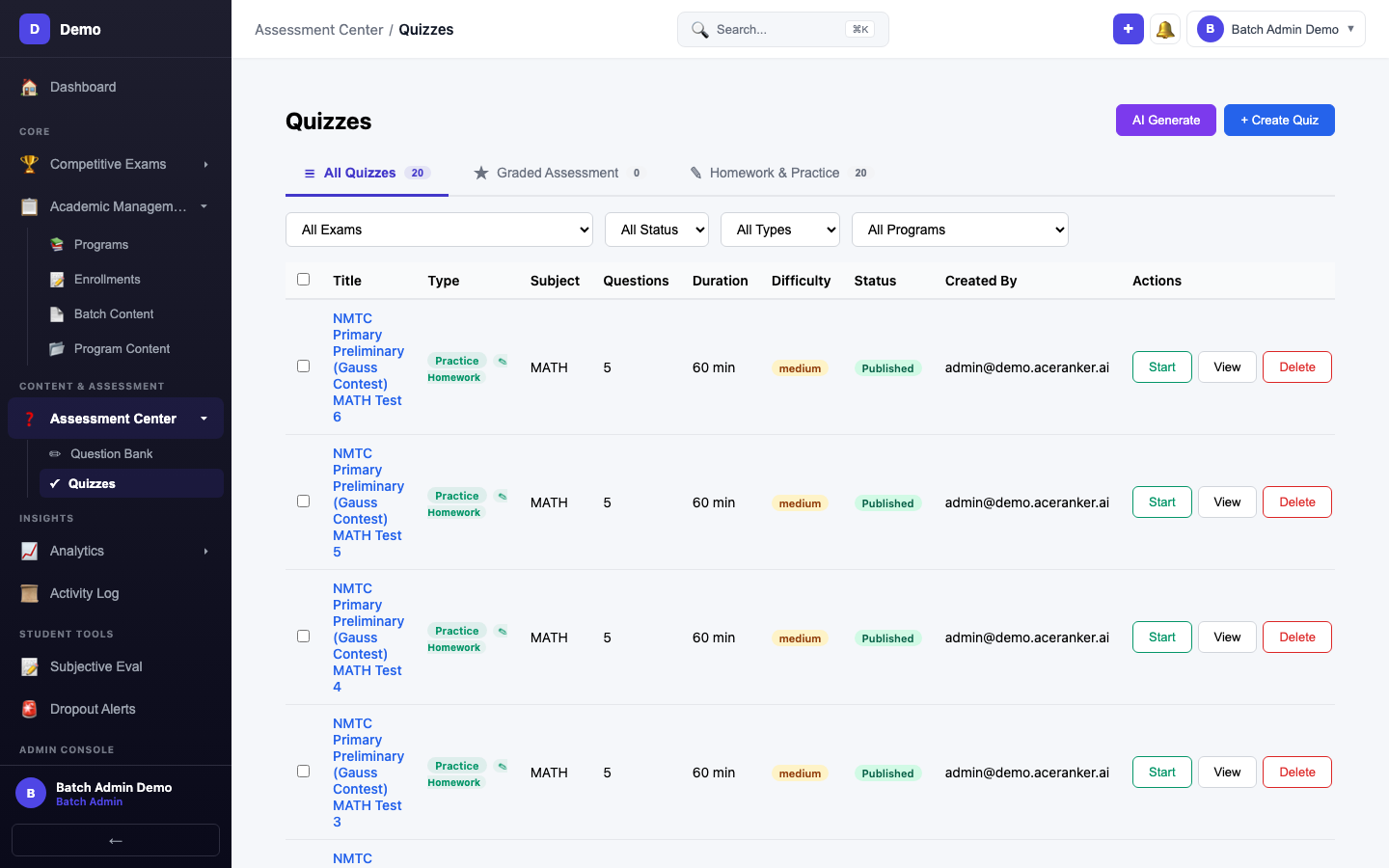
Viewing Quizzes
The quiz list shows all quizzes assigned to your batches:
| Column | Description |
|---|---|
| Quiz Name | Title and type (practice, mock, revision) |
| Subject | Exam subject the quiz covers |
| Assigned To | Which batch(es) receive this quiz |
| Status | Draft, Published, or Completed |
| Completion | How many students have submitted |
Monitoring Progress
- Click any quiz to see per-student completion status
- View average scores and time taken
- Identify students who haven't started yet
- Results automatically feed into the Student Progress page
Tips
- Check completion rates before deadlines to follow up with students
- Use the filter to view quizzes by status or batch
- Published quizzes appear immediately in students' quiz lists