Feature Controls
The feature matrix lets you enable or disable platform features on a per-tenant basis. This controls which AI tools, learning features, and admin capabilities each coaching academy can access.
Video Walkthrough
Navigate to Feature Controls
Go to Administration → Feature Controls from the sidebar.
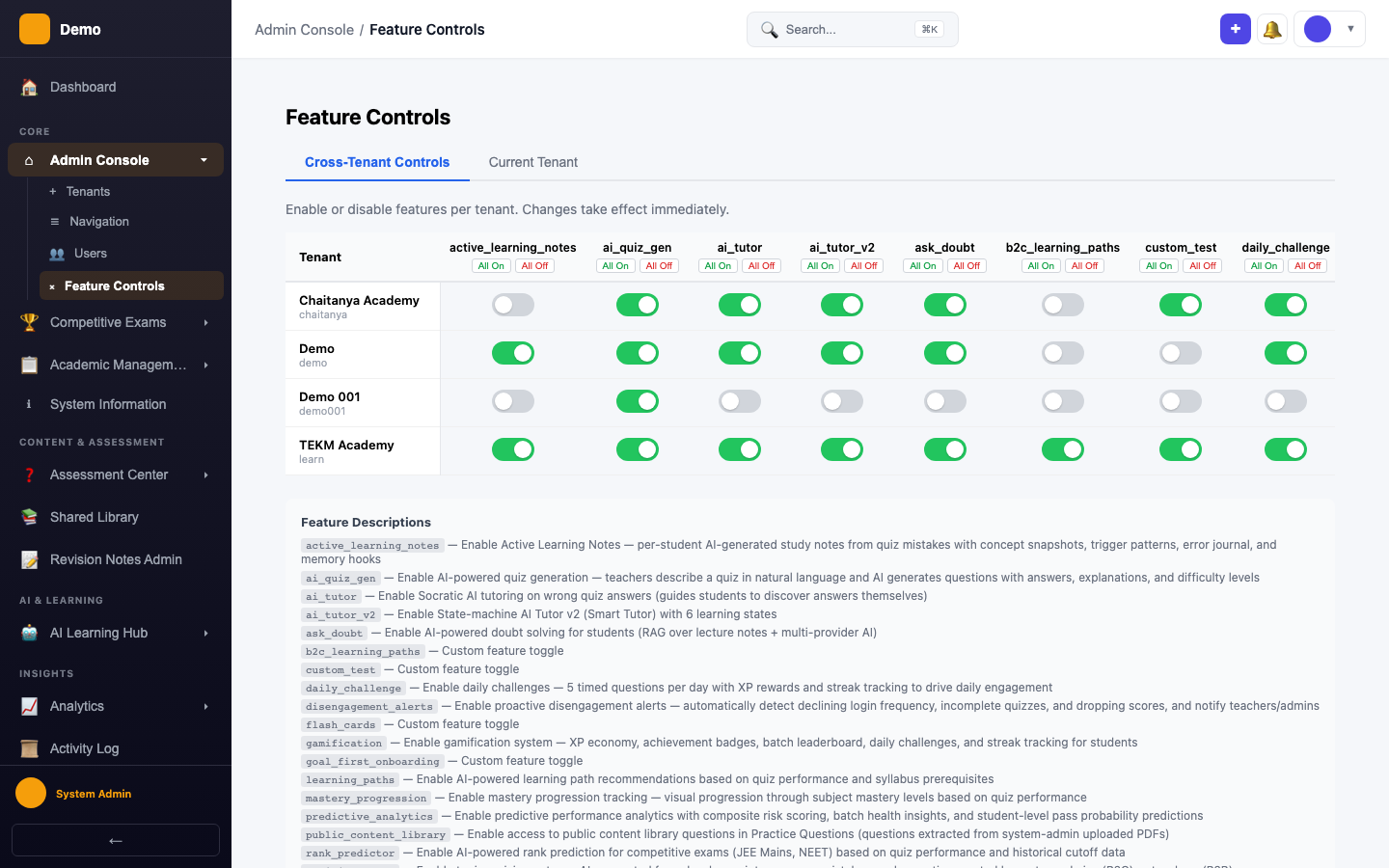
Feature Matrix
A grid view showing all tenants (columns) vs. features (rows) with toggle switches.
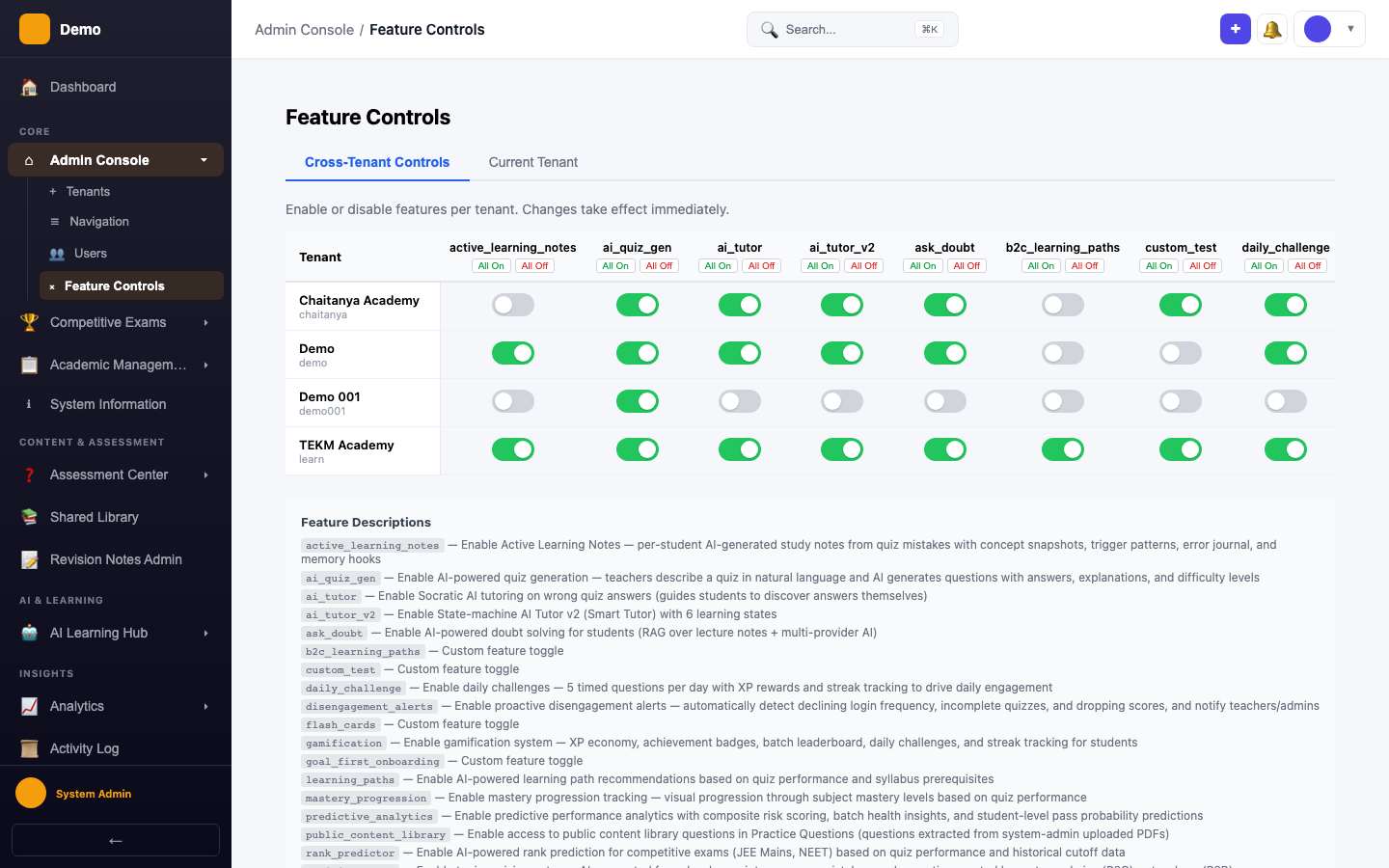
Available Features
| Feature | Description |
|---|---|
ask_doubt | RAG-powered doubt solving |
ai_tutor | Basic AI tutoring |
ai_tutor_v2 | Smart Tutor with 6-state machine |
learning_paths | AI-generated learning recommendations |
spaced_repetition | SM-2 spaced repetition scheduling |
study_plan | AI-powered weekly study plans |
public_content_library | Access to shared content in RAG |
Notes
- B2C tenant features can be set to always-on via seed scripts
- Feature changes take effect immediately — no restart required
- Disabling a feature hides the menu item and blocks API access (403)