Quizzes
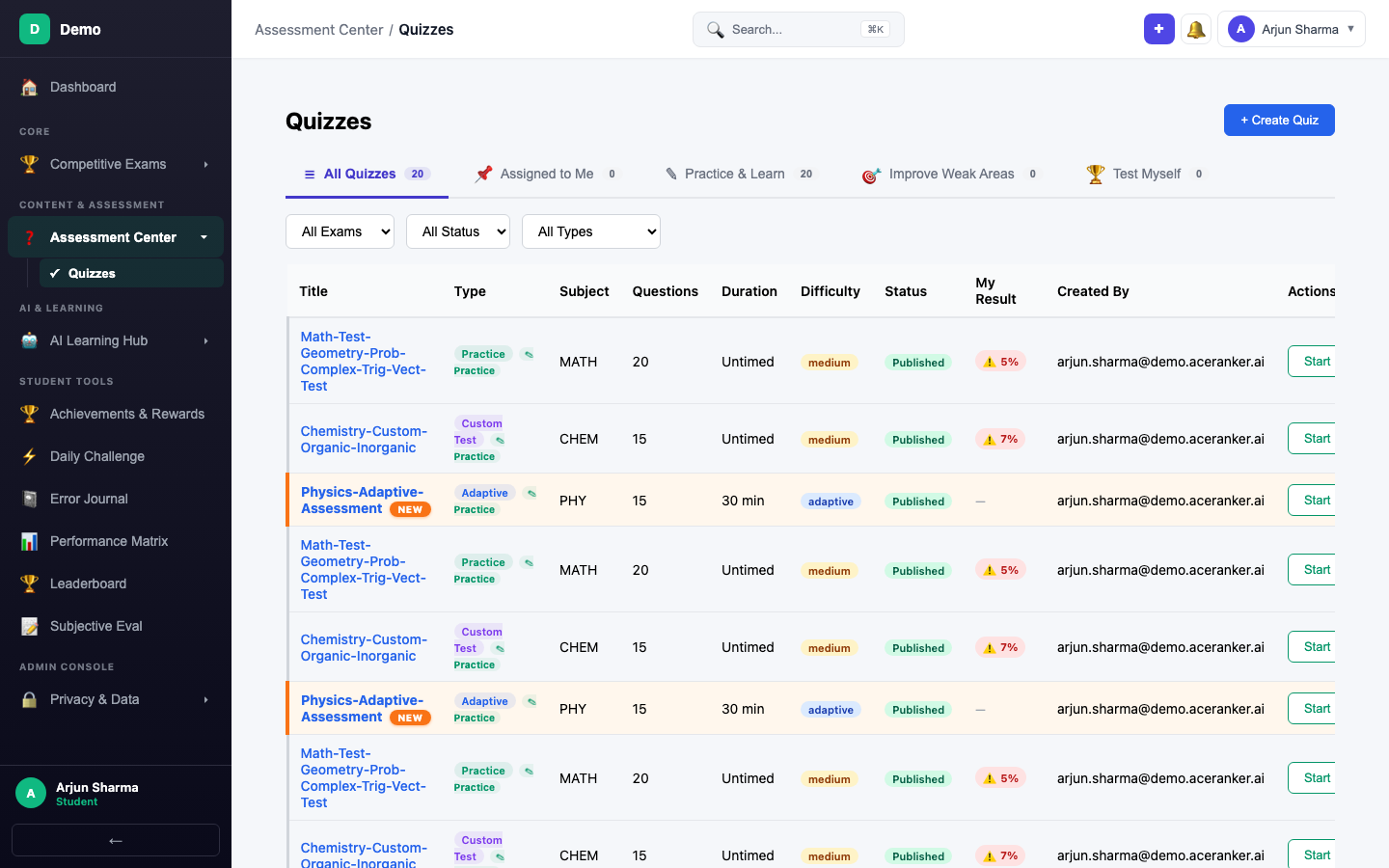
Quizzes are the core of AceRanker. Every quiz you take feeds the AI engine, which builds an increasingly accurate picture of your strengths and gaps — powering your study plan, spaced repetition cards, mastery progression, and personalised recommendations.
Which Quiz Should I Take?
| I want to... | Use | Why |
|---|---|---|
| Practice a topic I just studied | Practice or Custom Test | Untimed, no pressure — drill at your own pace |
| Let AI adapt to my level | Adaptive | Questions get harder or easier based on your answers |
| Simulate full exam conditions | Institute | Multi-subject, timed, mirrors the real exam pattern |
| Review topics I'm weak in | Revision | AI picks topics you've struggled with recently |
| Let AI find and fix my gaps | Weakness Quiz | Zero config — AI auto-selects from your error history |
| Practice with real past papers | PYP | Actual exam questions from previous years |
| See how I rank against others | Competition | Timed mock with ranking against other students |
Quiz Types at a Glance
| Type | Category | Timed? | Attempts | Key Feature |
|---|---|---|---|---|
| Practice | Practice & Learn | No | Unlimited | Random questions, fresh each attempt |
| Adaptive | Practice & Learn | Yes | Unlimited | AI adjusts difficulty in real-time |
| Custom Test | Practice & Learn | No | Unlimited | You pick chapters, topics, difficulty |
| Institute | Practice & Learn | Yes | 1 | Multi-subject exam simulation |
| Revision | Improve Weak Areas | No | Unlimited | Difficulty adjusts based on recent answers |
| Weakness Quiz | Improve Weak Areas | No | Unlimited | AI auto-selects your weakest topics |
| PYP | Test Myself | Yes | 1 | Real past exam papers |
| Competition | Test Myself | Yes | 1 | Timed mock with student ranking |
| Live Test | Assigned | Yes | 1 | Scheduled exam with fixed time window |
Practice & Learn
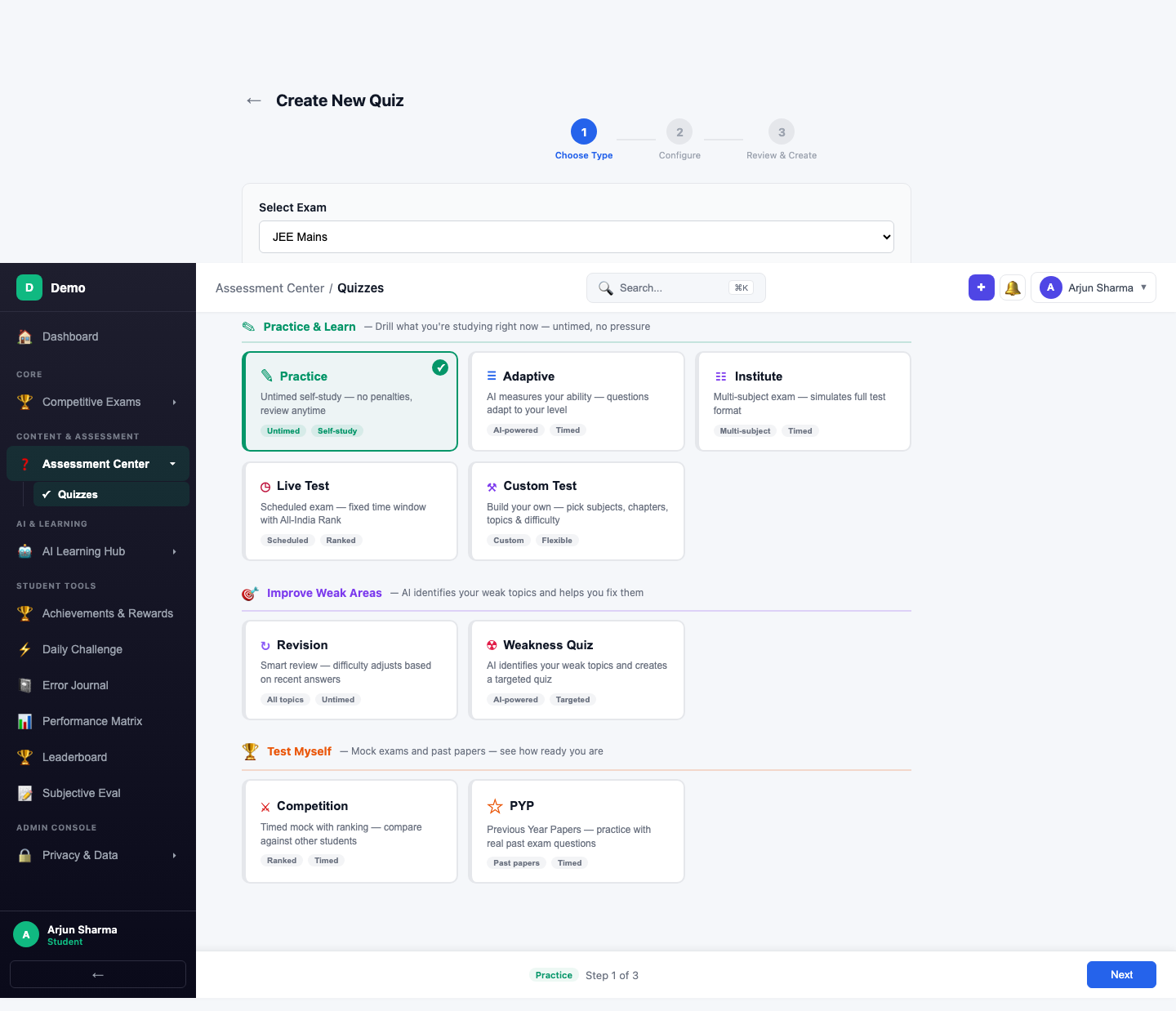
These quizzes help you drill what you're studying right now — untimed, no pressure, with fresh questions each attempt.
Practice Quiz
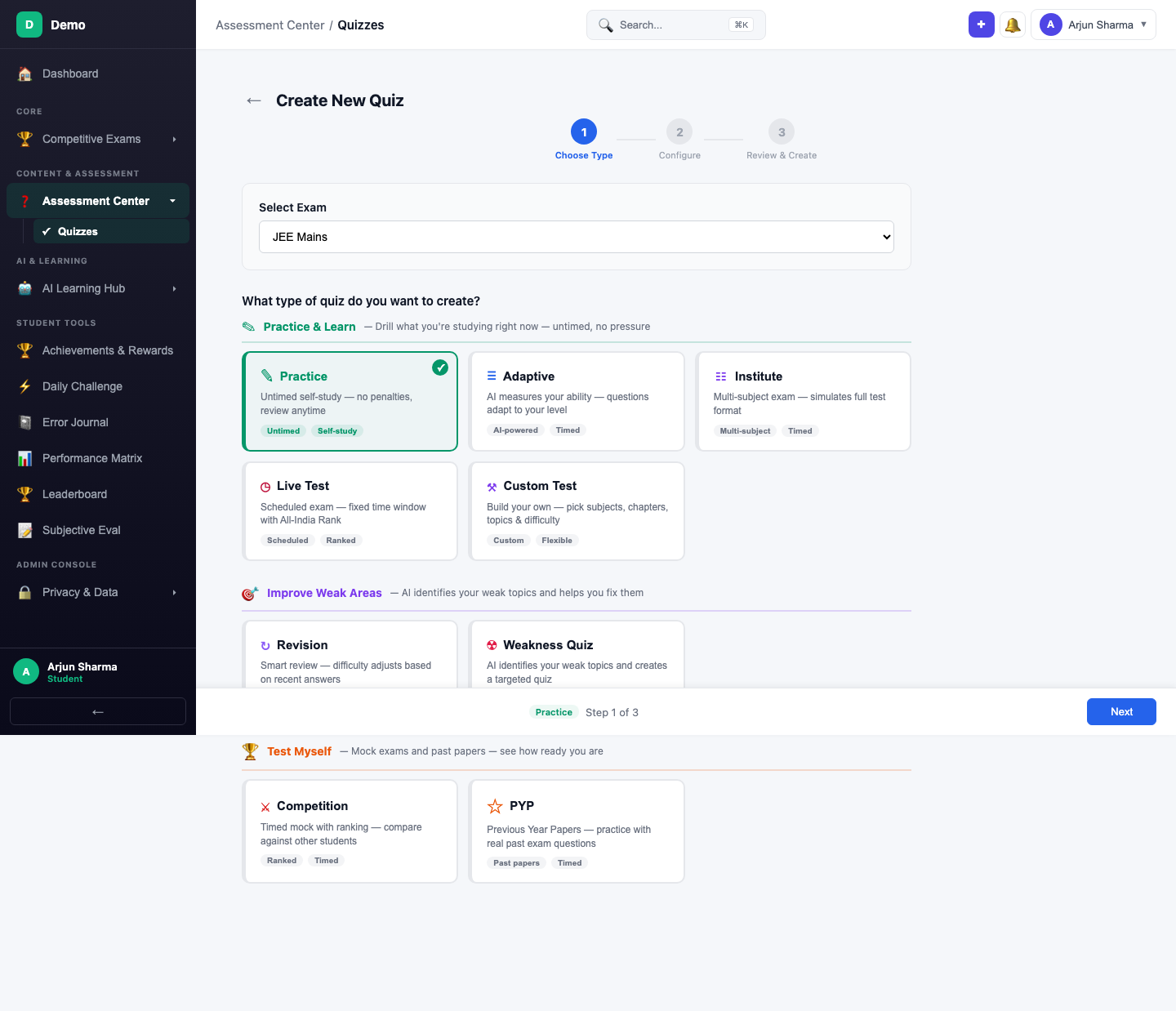
The simplest way to start — pick a subject, set the question count, and go. Each attempt draws fresh questions so you never see the same set twice.
Creating a Practice Quiz
Navigate to Quizzes from the sidebar and click + Create Quiz.
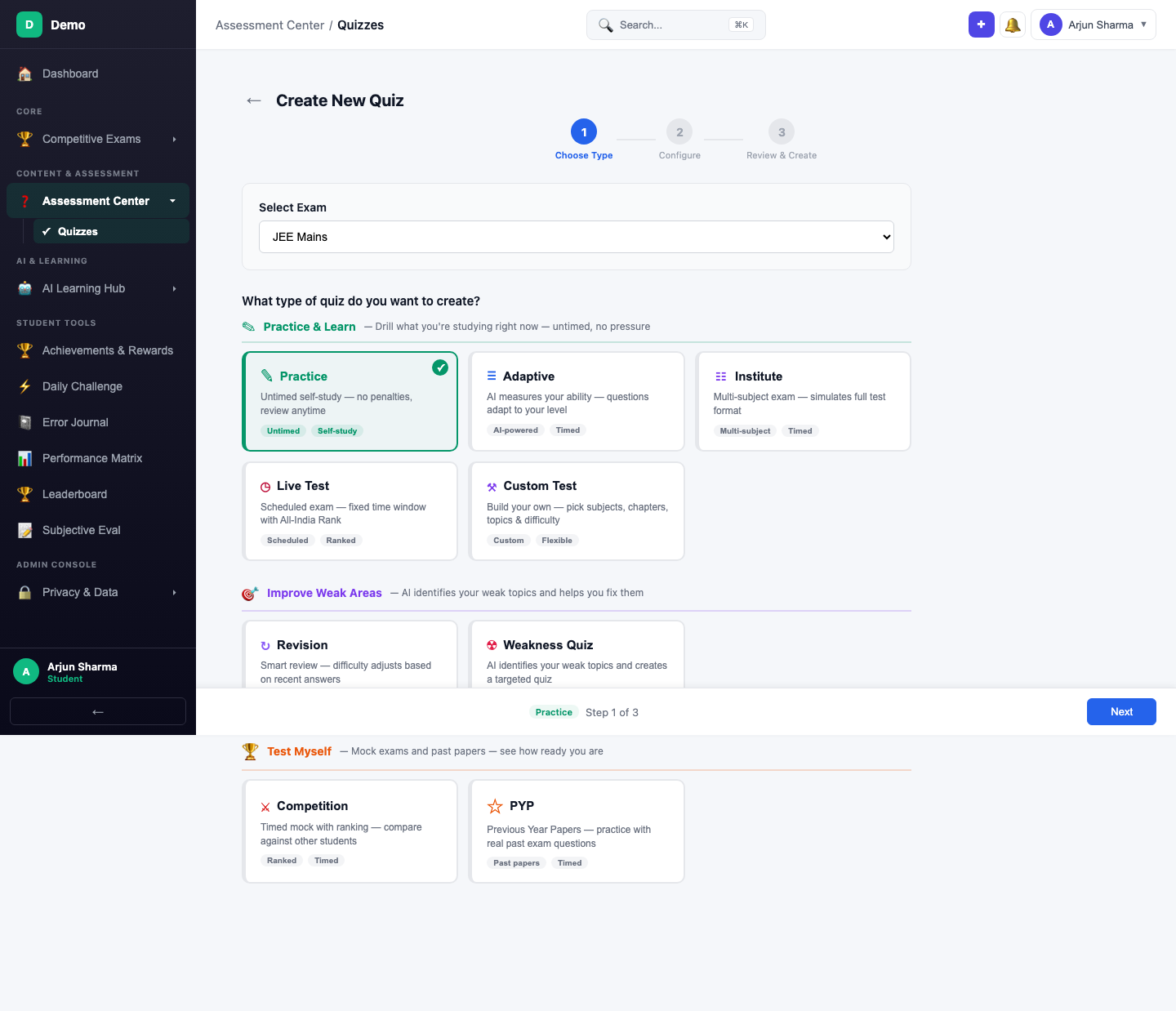
Step 1 — Select Exam & Type: Choose a competitive exam (JEE Mains, NEET, etc.) and select Practice.
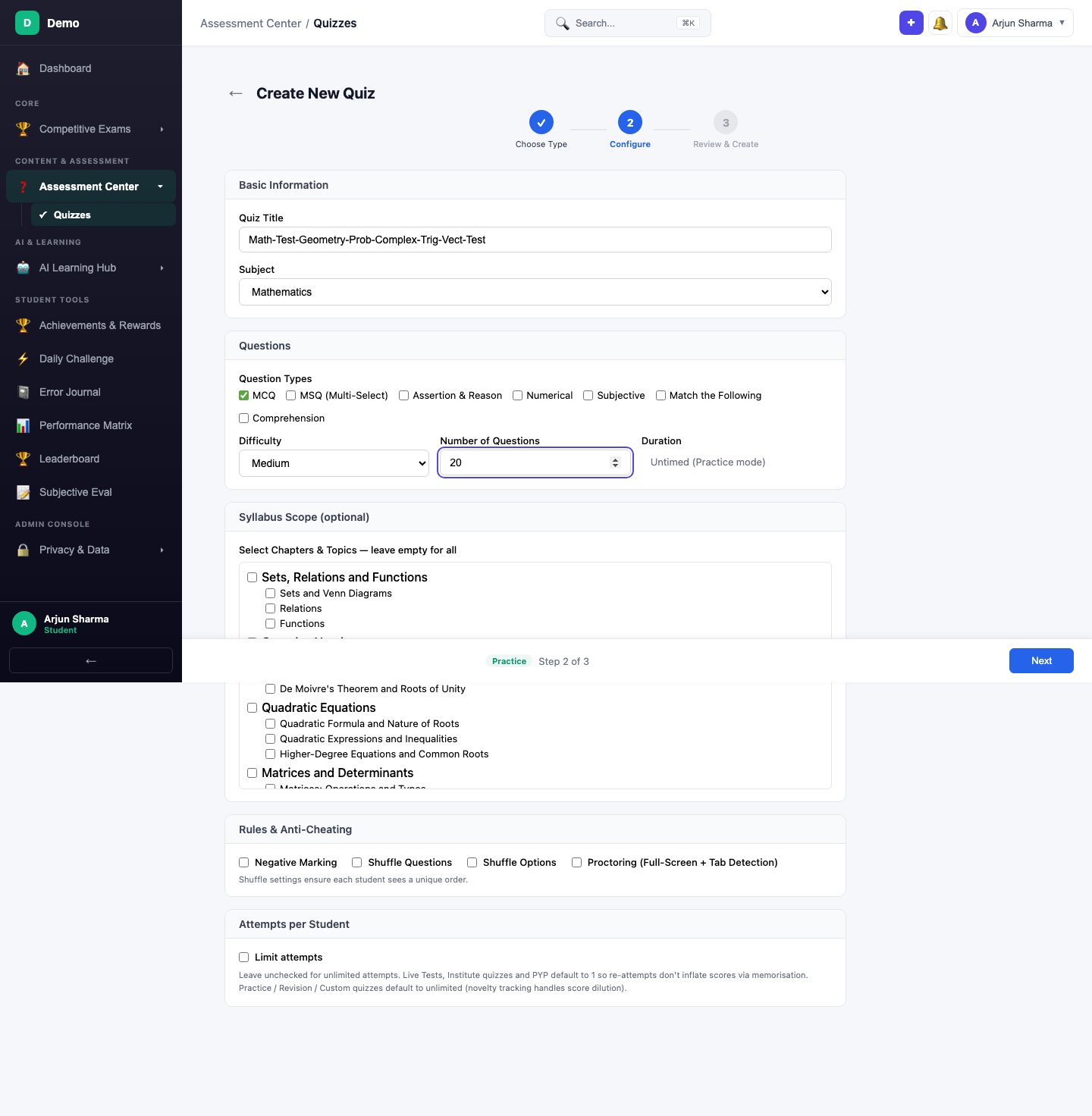
Step 2 — Configure: Enter the quiz title, select a subject, set question type (MCQ), difficulty (Medium), and number of questions (20). Optionally, narrow the question pool by selecting specific chapters in the Syllabus Scope section.
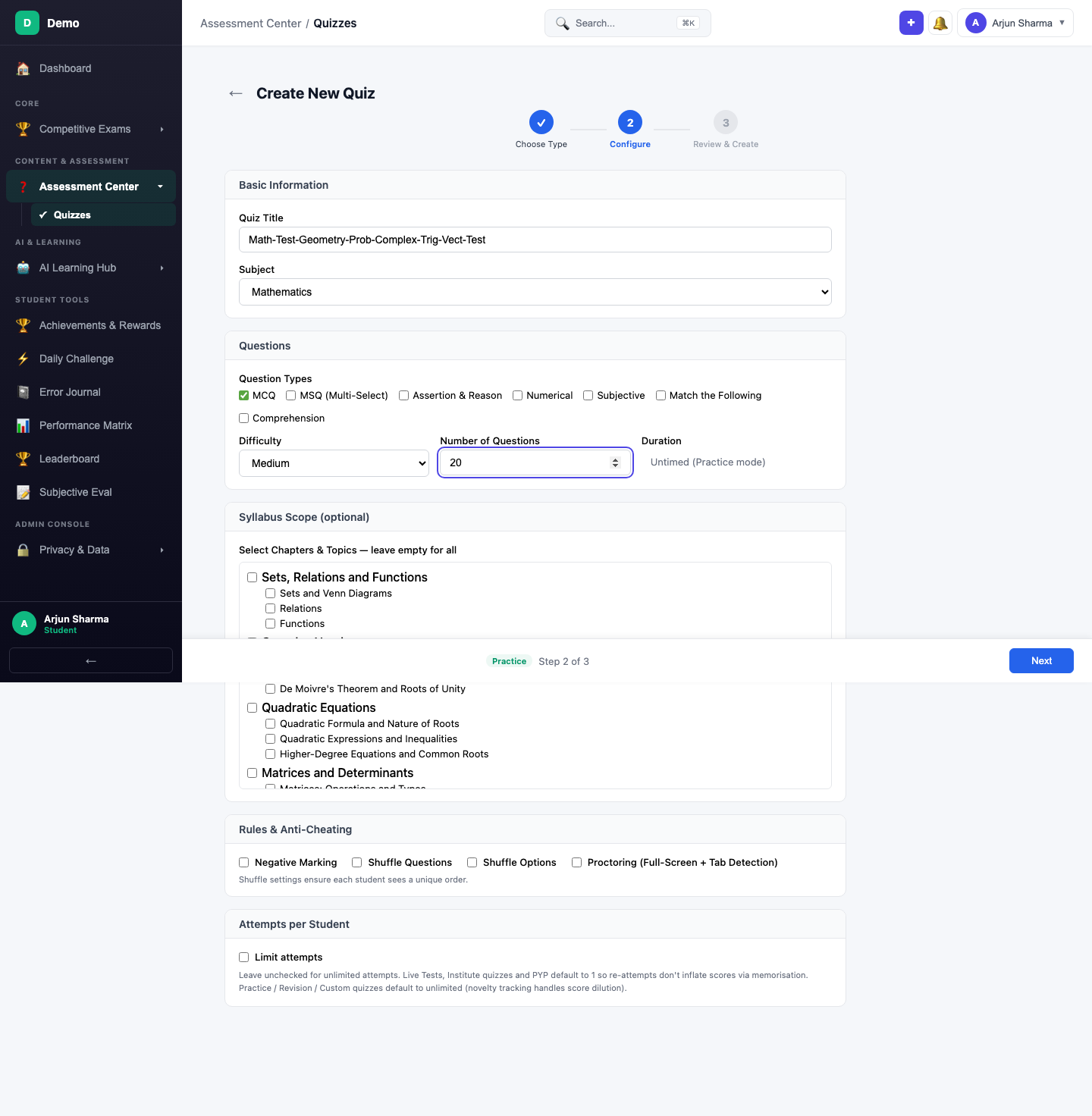
Step 3 — Review & Create: Review all settings and click Create Quiz.
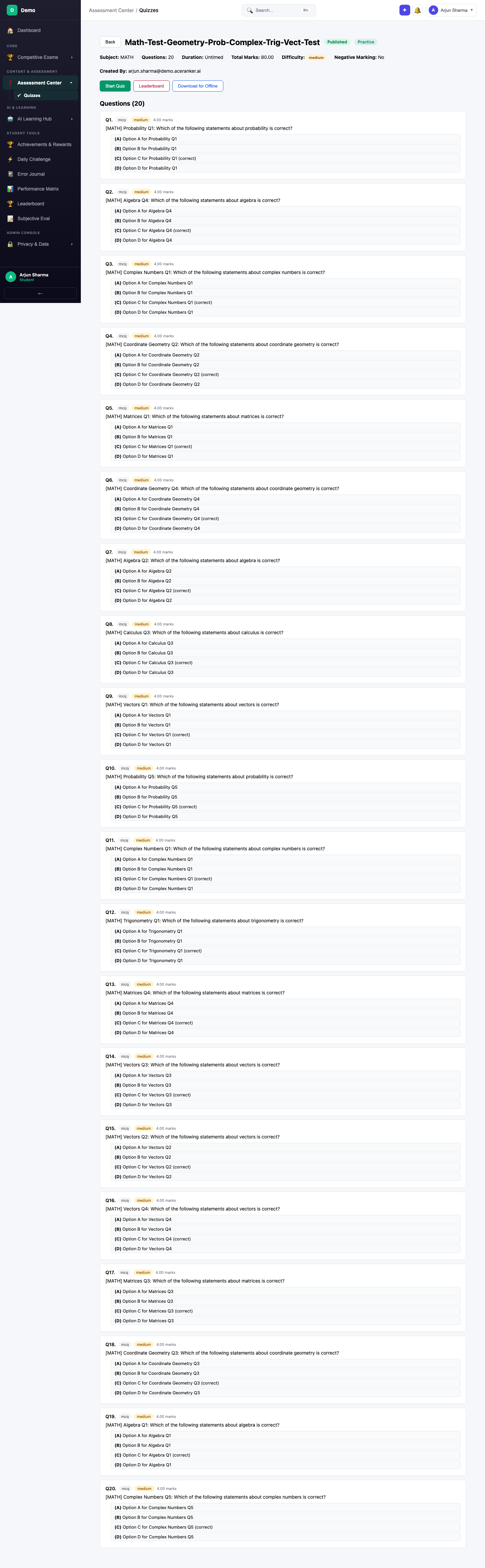
After studying a chapter, immediately create a Practice quiz to test recall. Keep it untimed so you can think through each problem without pressure.
Adaptive Quiz
AI measures your ability level and adapts question difficulty in real-time. Answer correctly and the next question gets harder; struggle and it backs off. This gives an accurate calibration of where you really stand.
Creating an Adaptive Quiz
The Practice & Learn category groups Practice, Adaptive, and Custom Test cards together. Select Adaptive — notice the "AI-powered" and "Timed" tags.
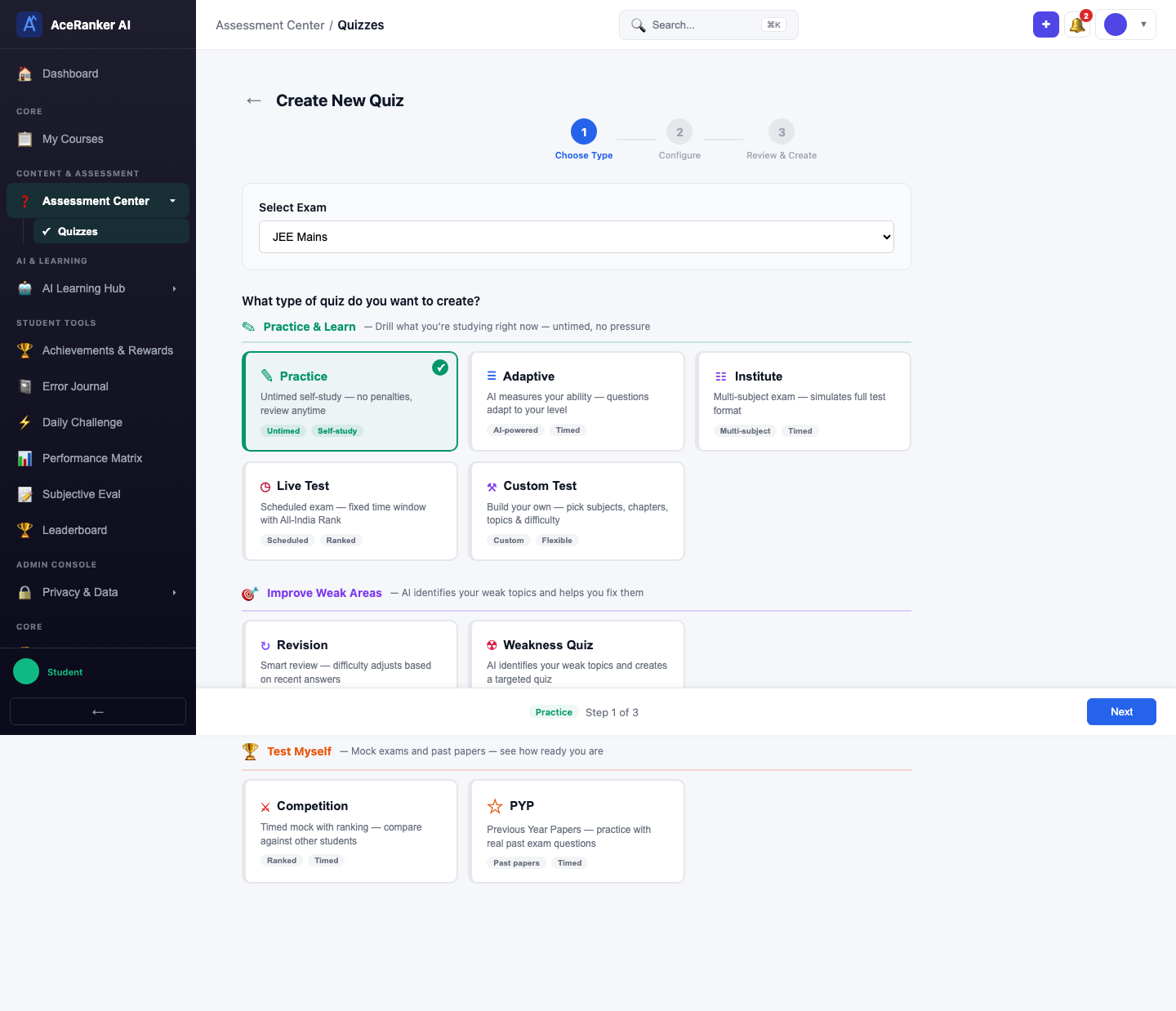
Configure: Enter a title (e.g., Physics-Adaptive-Assessment), select a subject, and set question count. Note: there is no difficulty dropdown — the AI manages difficulty automatically.
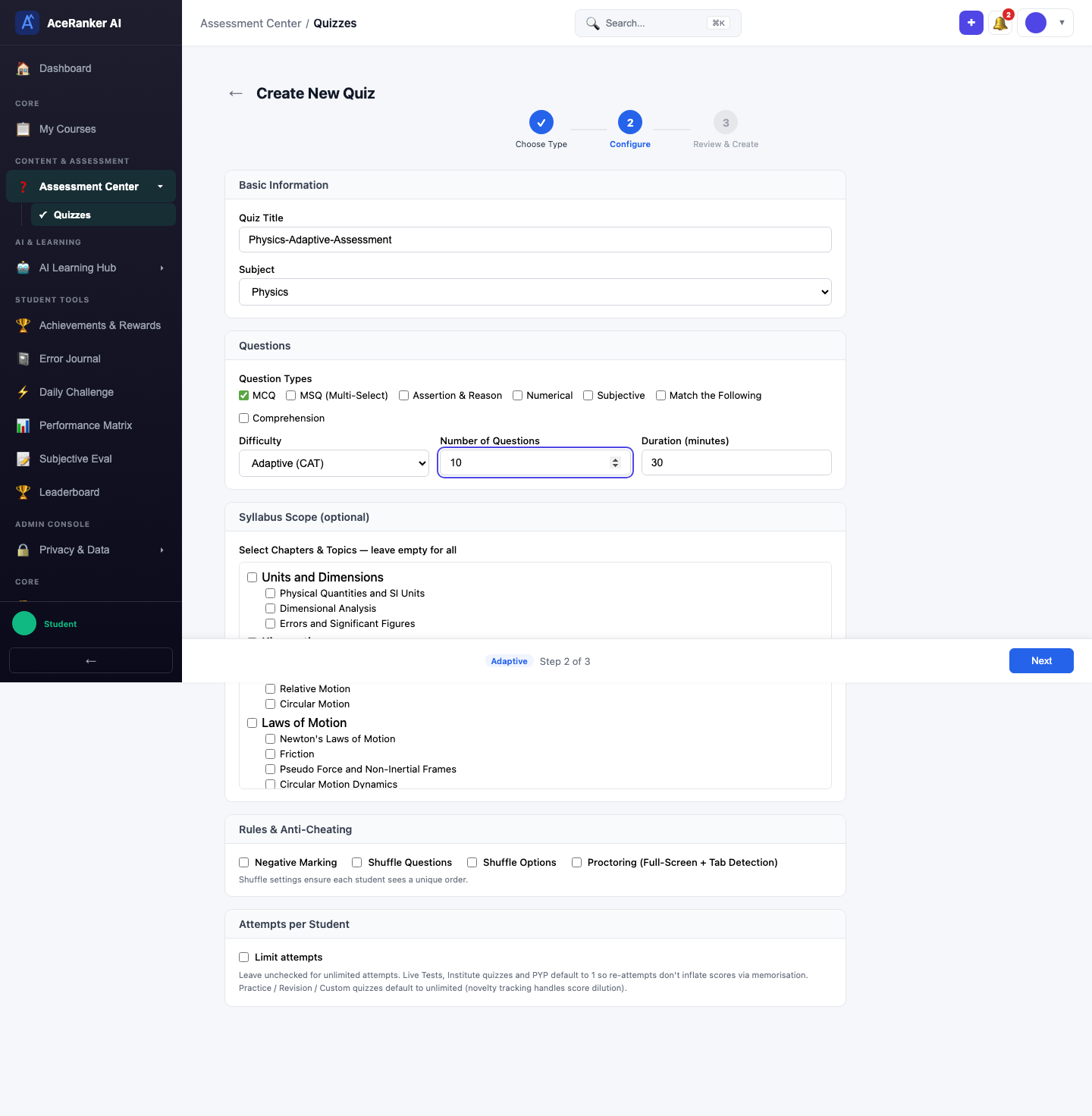
Review and create. The quiz starts with a visible timer — as you answer, the AI calibrates difficulty.
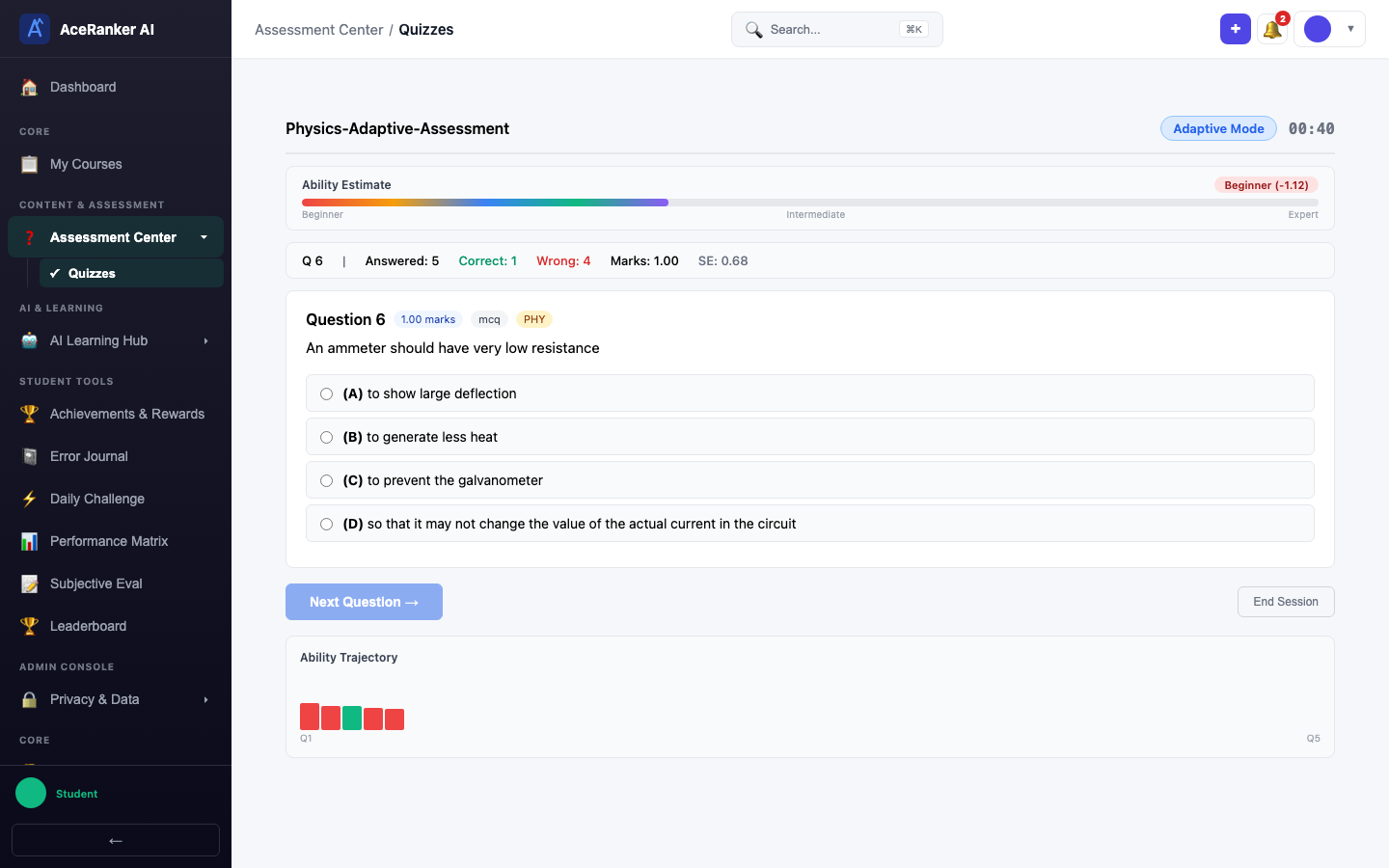
Before a big exam to calibrate your readiness. The AI-assigned difficulty level after 15–20 questions gives you a reliable measure of your current ability.
Custom Test
Full control — pick specific subjects, chapters, topics, difficulty, and question types. Ideal for targeted revision of specific syllabus areas.
Creating a Custom Test
Select Custom Test from the Practice & Learn category.
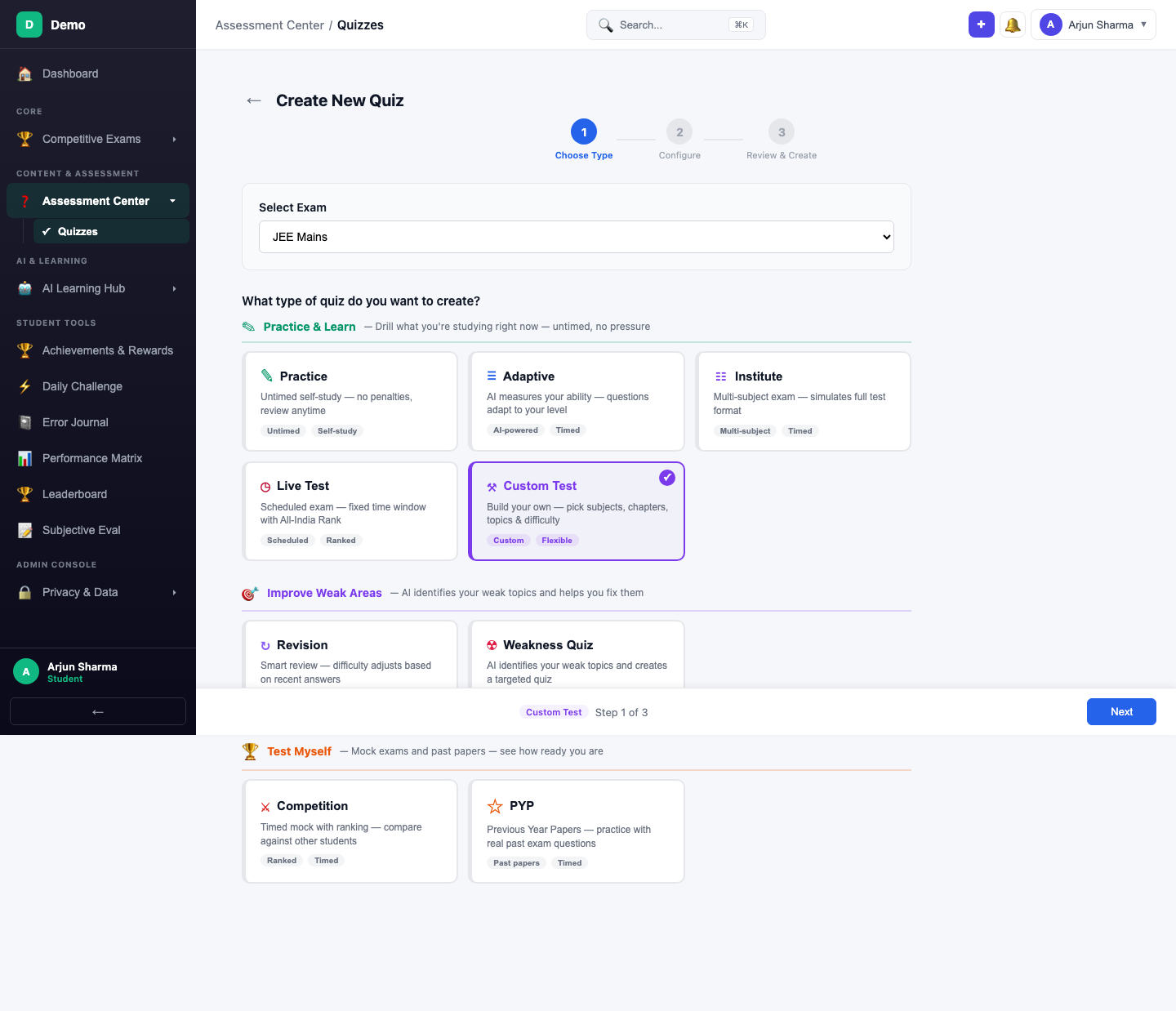
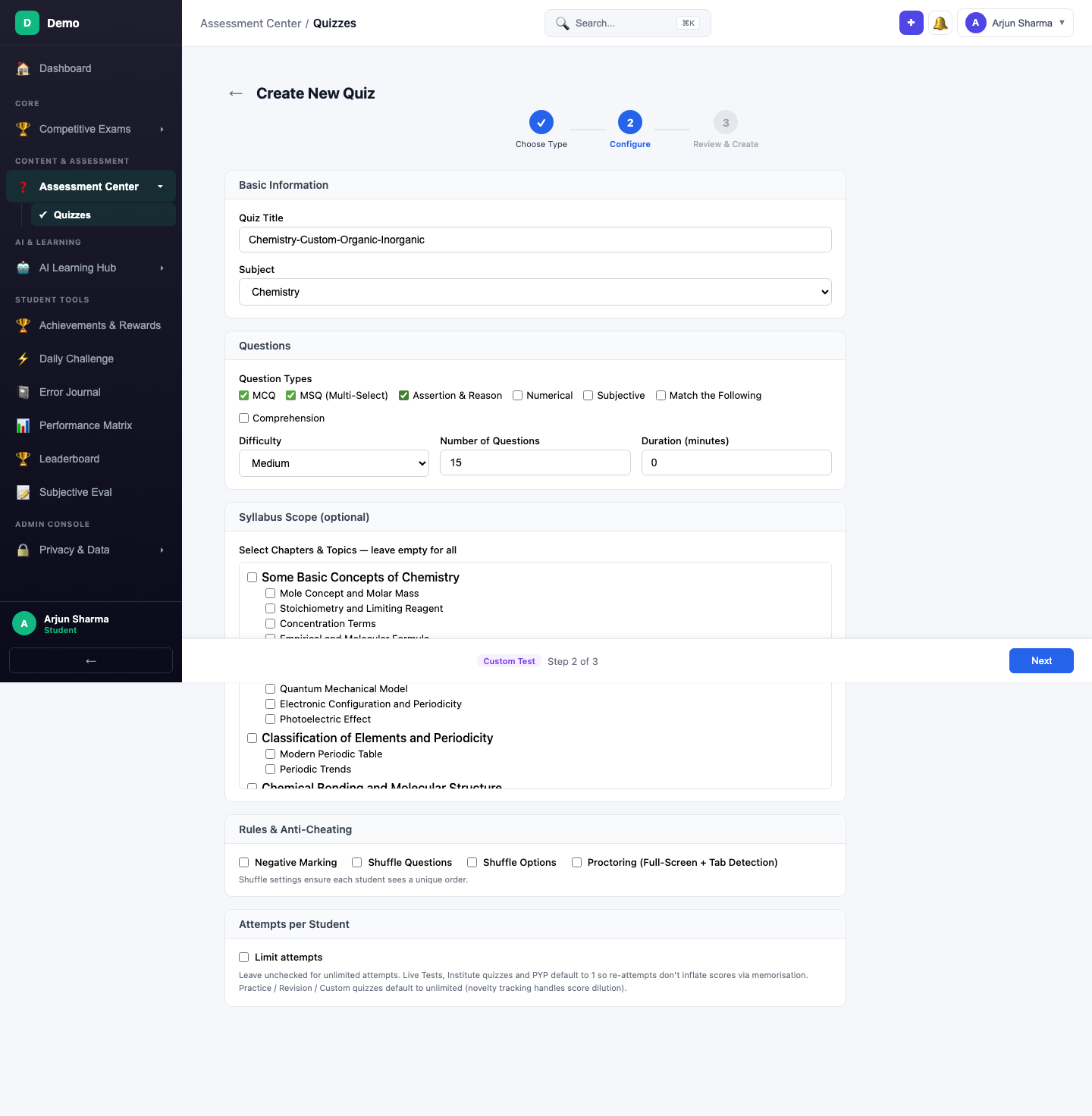
Configure: Enter a title, select a subject (e.g., Chemistry), set 15 questions, MCQ type, and Medium difficulty. Open Syllabus Scope and select specific chapters for targeted practice.
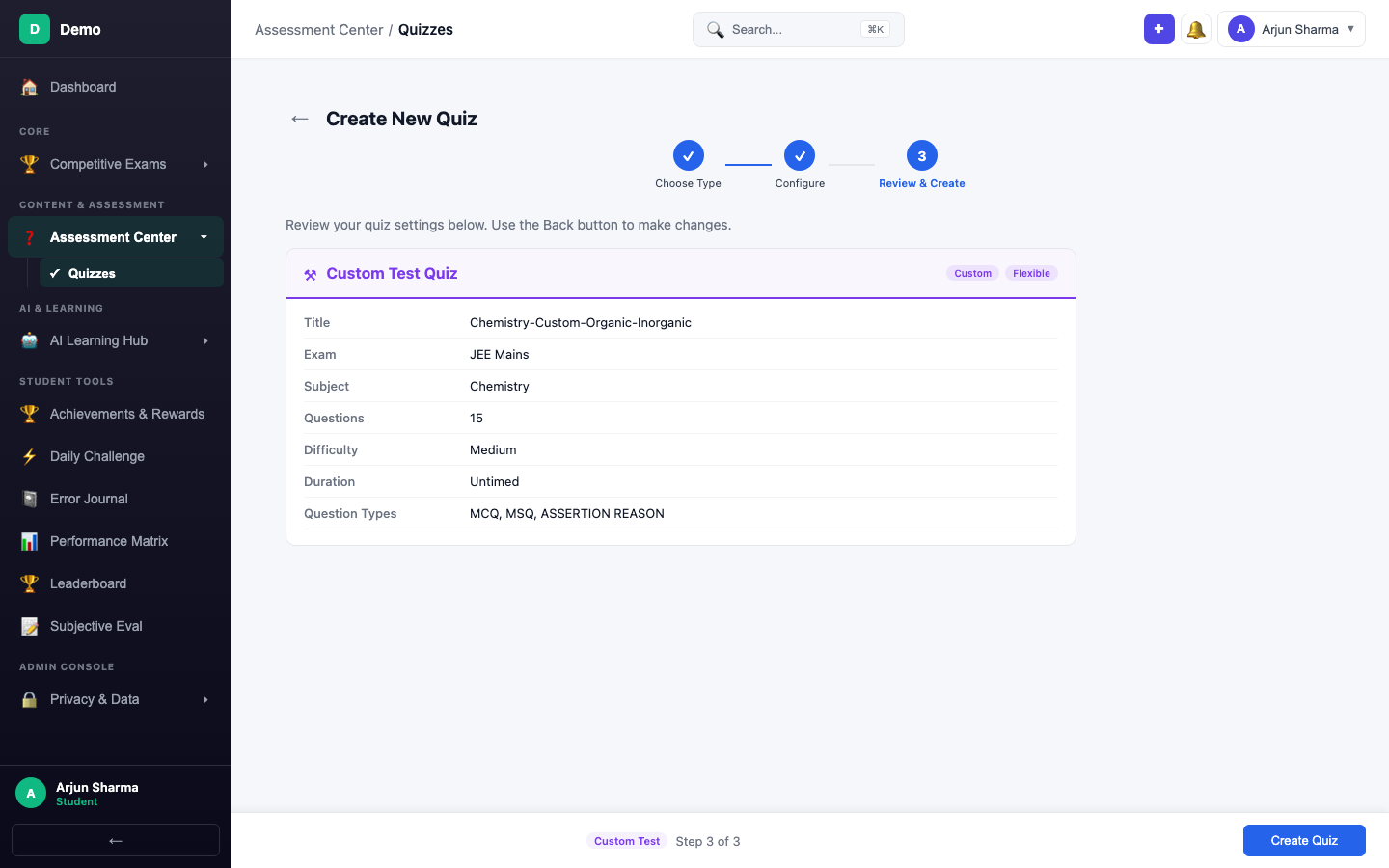
Review and create.
When you want to drill specific chapters (e.g., "Organic Chemistry — Alcohols and Ethers") instead of the full subject. Great for week-before-exam targeted revision.
Institute Quiz
Multi-subject exam simulation that mirrors the real exam pattern — section-wise timing, negative marking, and the same question distribution. Created by your coaching institute (B2B) or available as a self-study format.
The Institute card appears under Practice & Learn with "Multi-subject" and "Timed" tags.
For full mock tests in the actual exam pattern. Best used 2–4 weeks before the exam to build stamina and time management skills.
Improve Weak Areas
These quizzes use AI to identify and fix your knowledge gaps.
Revision Quiz
The AI analyses your recent quiz performance and adjusts difficulty based on topics you've struggled with. Multi-subject by default — it pulls questions across all subjects where you need improvement.
Creating a Revision Quiz
The Improve Weak Areas category groups Revision and Weakness Quiz together. Select Revision — it shows "All topics" and "Untimed" tags.
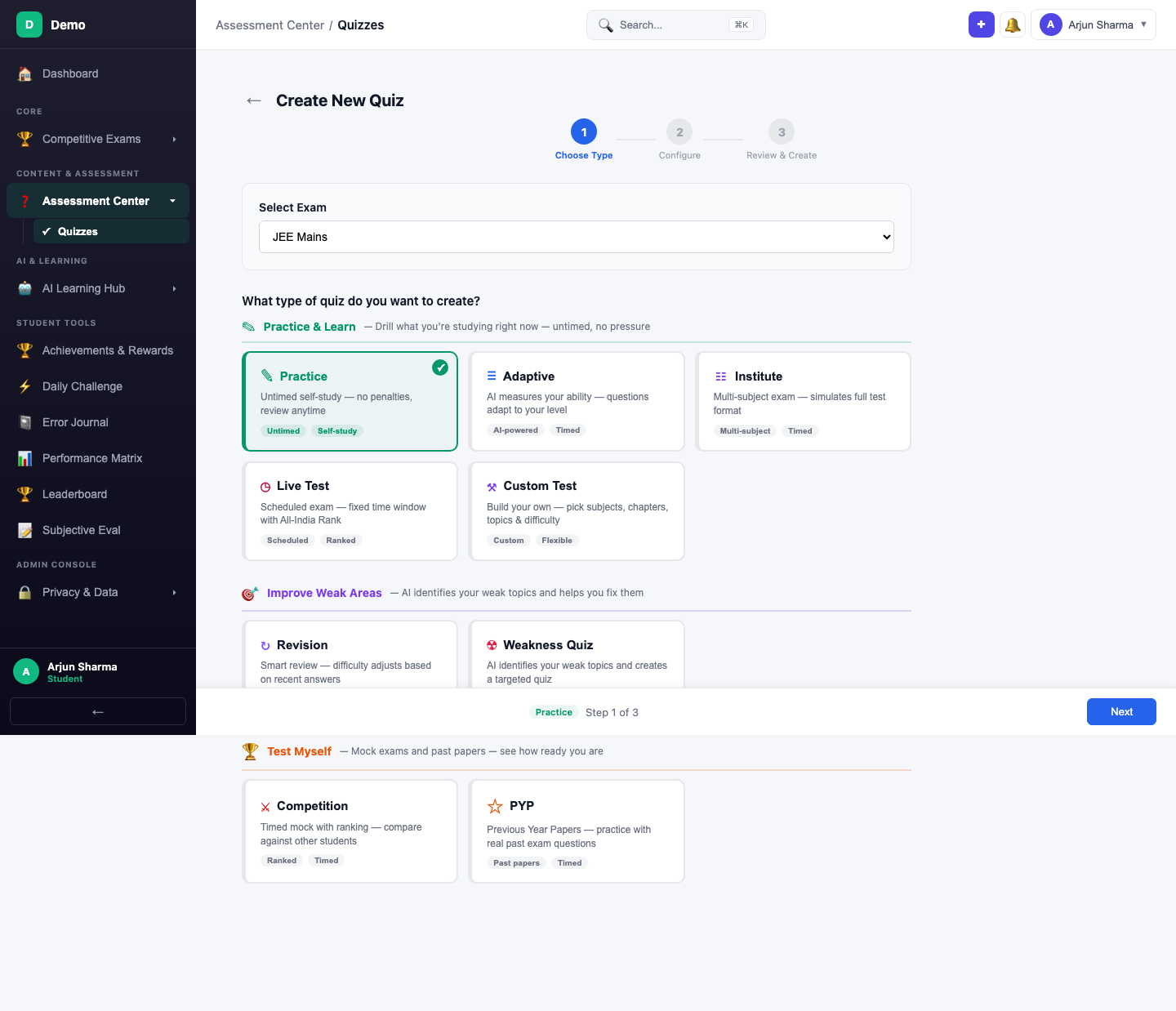
Configure: Enter a title, use the subject tabs to select chapters (the Studied Syllabus mode is default), and set question count and type. Difficulty is auto-managed based on recent performance.
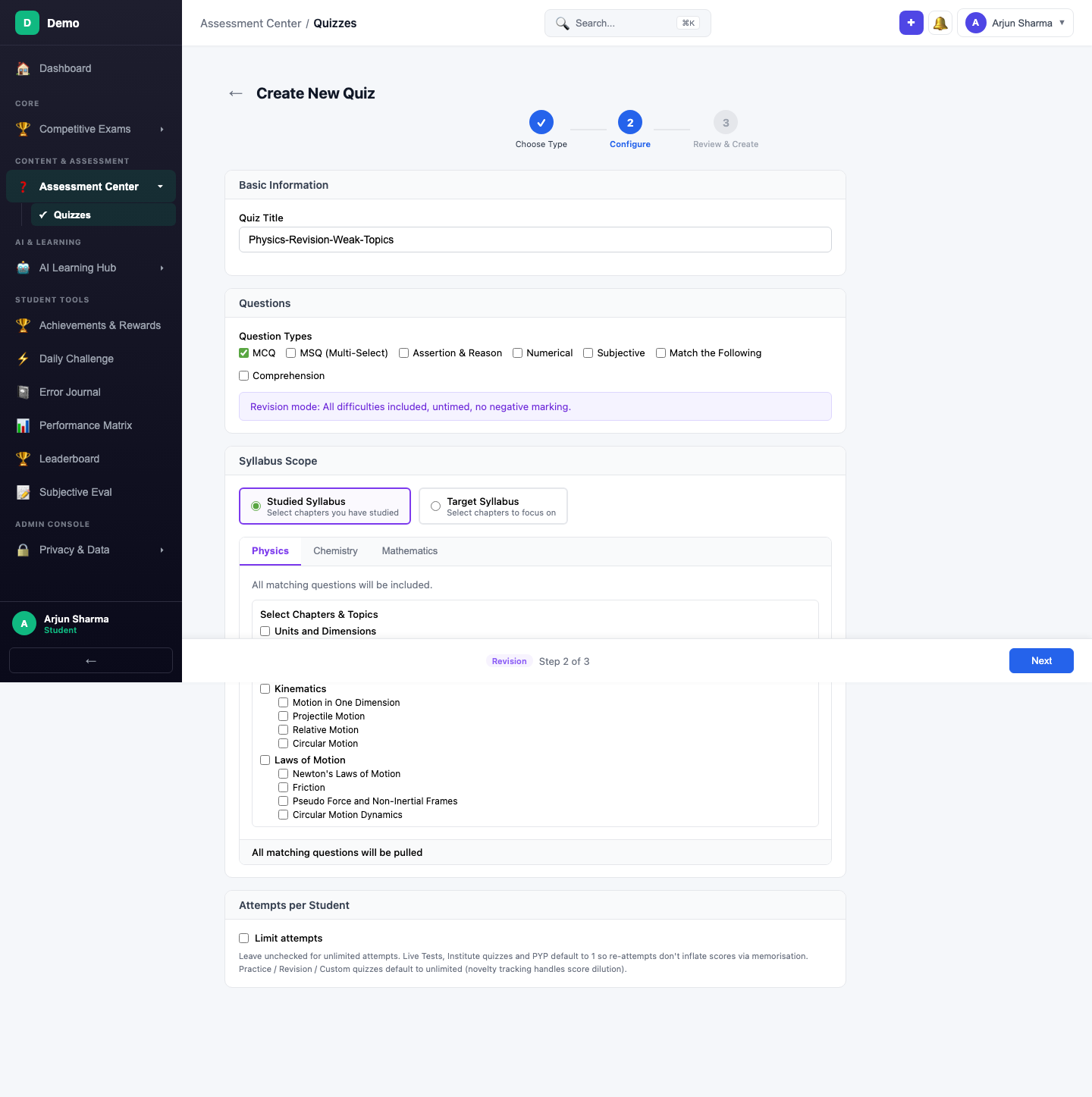
Review and create.
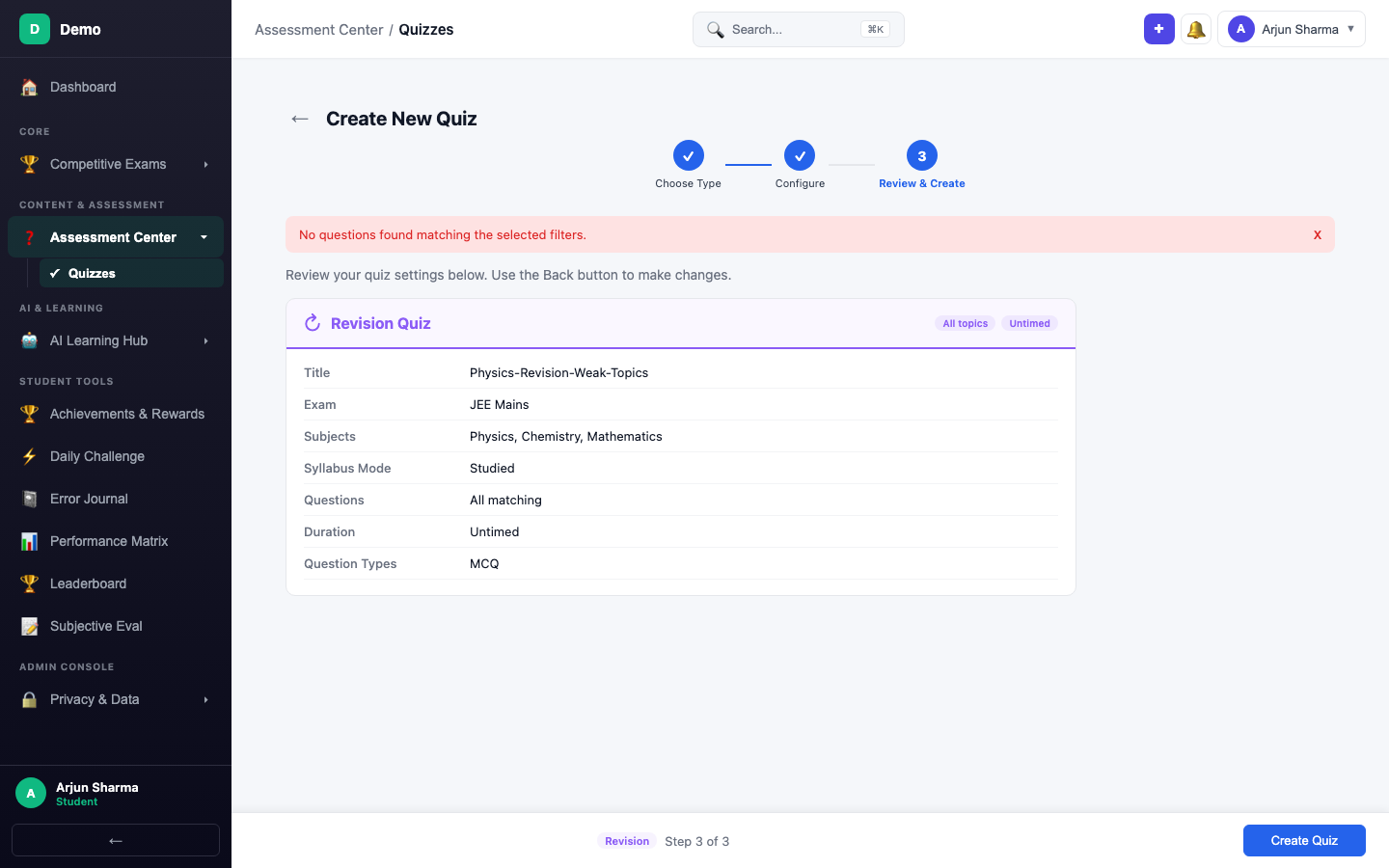
Weekly review after each chapter. The AI surfaces questions from topics where your recent accuracy was low, helping you catch gaps before they compound.
Weakness Quiz
Zero-config quiz — the AI automatically identifies your weakest topics from your entire error history and generates a targeted quiz. You don't pick subjects, chapters, or difficulty — the AI handles everything.
The Weakness Quiz card shows "AI-powered" and "Targeted" tags. All you configure is the number of questions and question types — the AI does the rest.
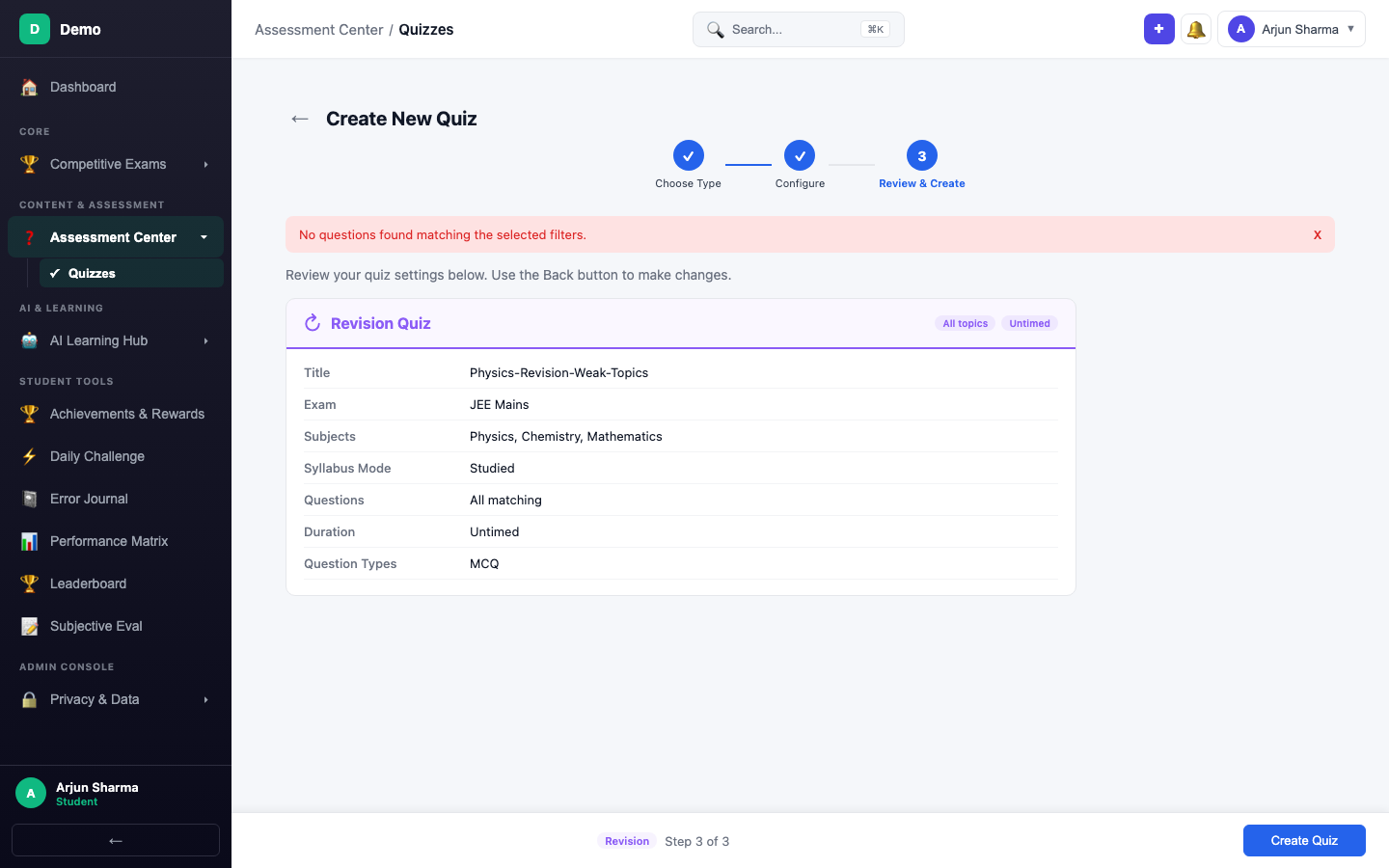
When you don't know what to study next. Let the AI surprise you with your actual weak areas — they're often different from what you expect.
Test Myself
Mock exams and past papers — see how ready you are under real conditions.
PYP (Previous Year Papers)
Practice with actual questions from previous years' exams. Select the year and paper, and the quiz loads real past questions with authentic difficulty and marking scheme.
Creating a PYP Quiz
The Test Myself category groups PYP and Competition together. Select PYP — it shows "Past papers" and "Timed" tags.
In the Configure step, the Previous Year Paper Settings card shows a dropdown with available years and papers (e.g., "JEE Mains 2024 (75 Qs)"). Select a year to load real past exam questions.
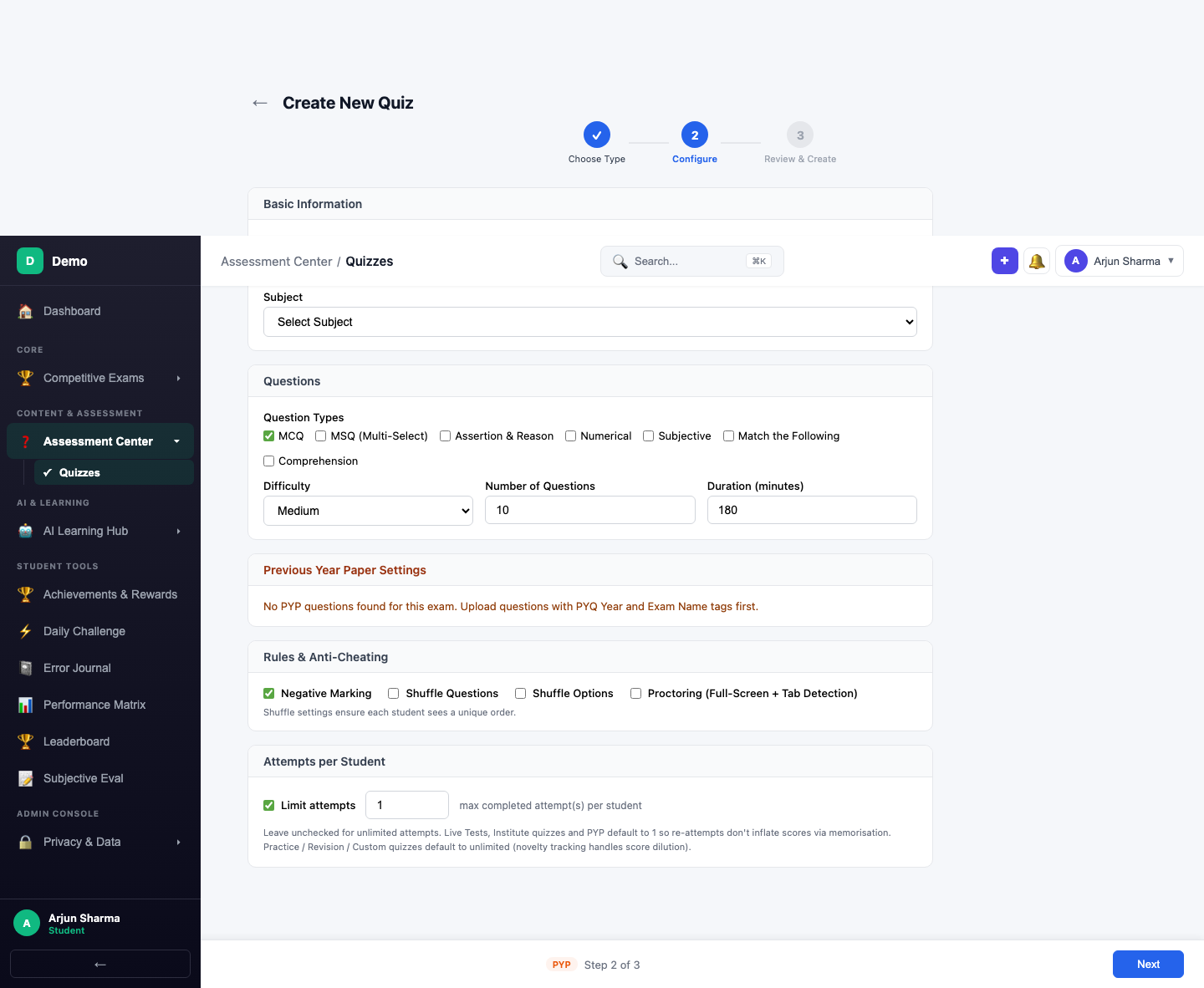
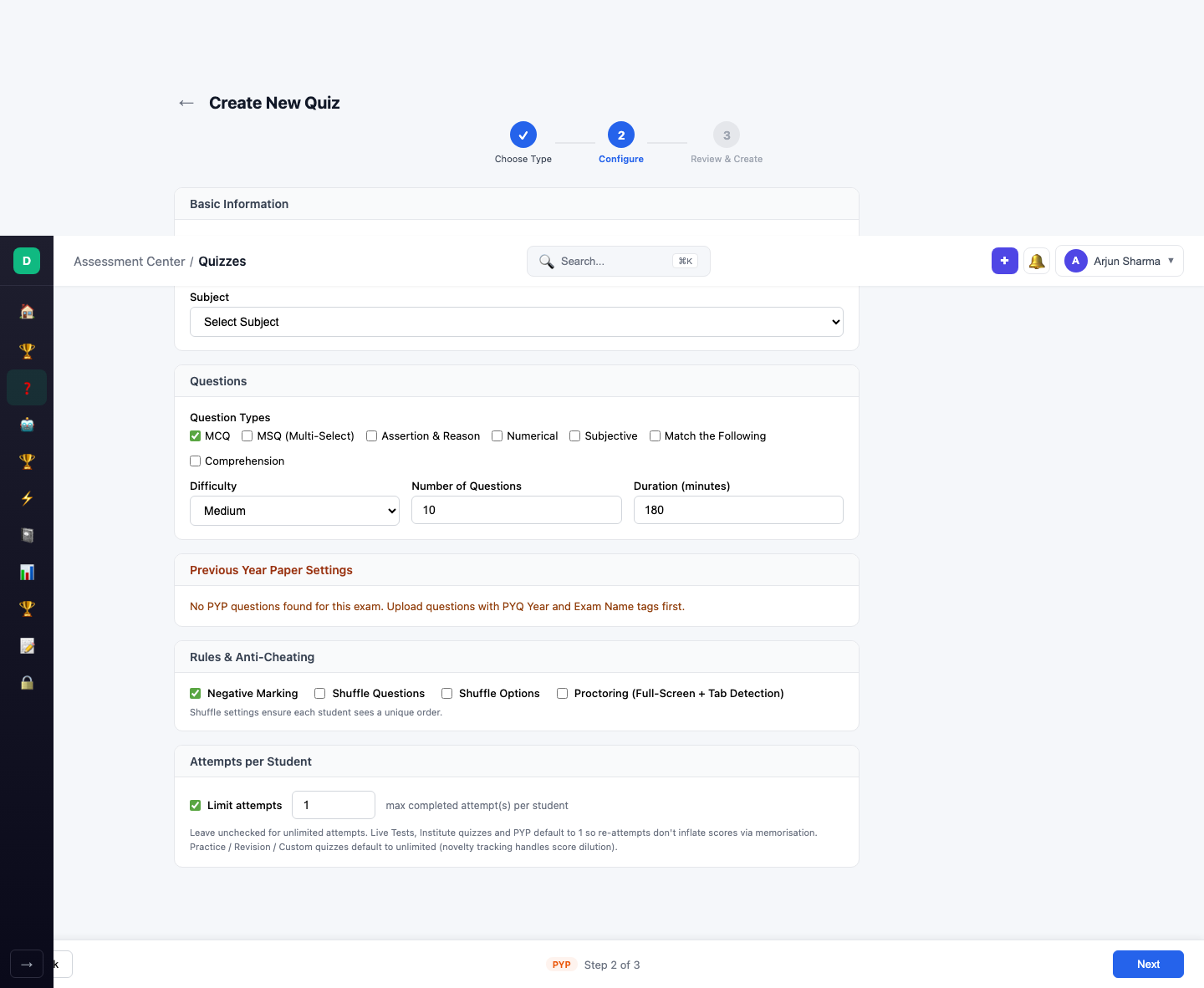
PYP questions must be uploaded by your admin with PYQ Year and Exam Name tags. If no papers are available, you'll see a message prompting you to contact your administrator.
Final month before the exam. Solve at least 3–5 previous year papers to understand the question patterns, difficulty distribution, and time pressure.
Competition (Mock with Ranking)
Timed mock exam where you're ranked against other students. Same format as an Institute quiz but with a live leaderboard showing your All-India Rank among all participants.
The Competition card shows "Ranked" and "Timed" tags.
To benchmark yourself against other students preparing for the same exam. Great for building exam-day pressure tolerance.
Taking a Quiz
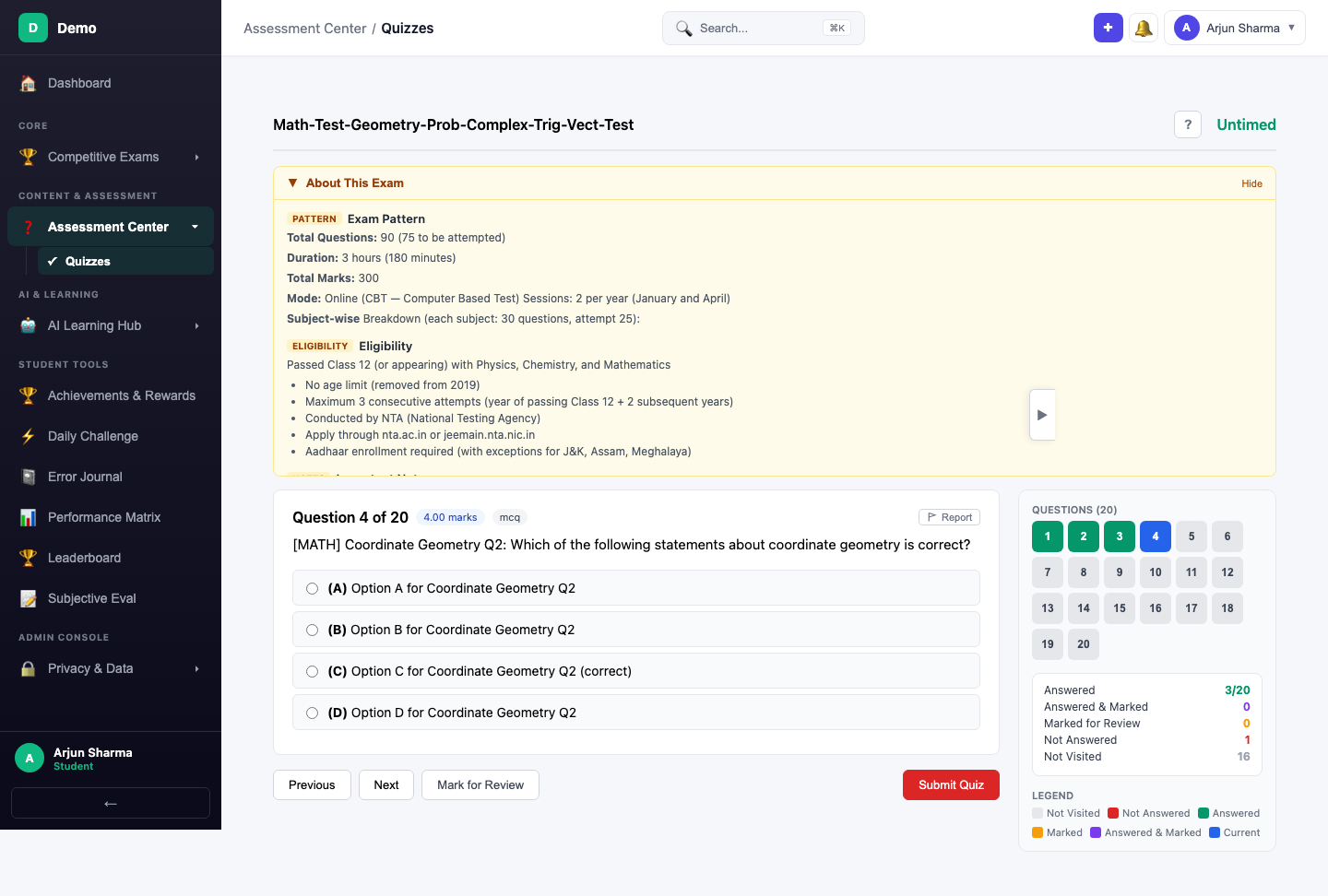
Regardless of quiz type, the quiz-taking interface is consistent:
- Start: Click Start on any published quiz
- Answer: Select MCQ options (or fill numerical answers) and navigate with Next / Save & Next
- Timer: Timed quizzes show a countdown timer at the top
- Question Navigator: Jump to any question using the numbered grid
- Submit: Click Submit Quiz and confirm in the dialog

Quiz Results
After submission, you see your score percentage, marks breakdown, and correct/wrong counts.

Deep Breakdown
Click Deep Breakdown for detailed analytics — batch rank, subject-wise performance, and question-level analysis showing which topics you got right/wrong.

Tutor Me
For any wrong question, click Tutor Me to launch the AI Tutor for a personalized, Socratic explanation of where you went wrong.

View Study Plan
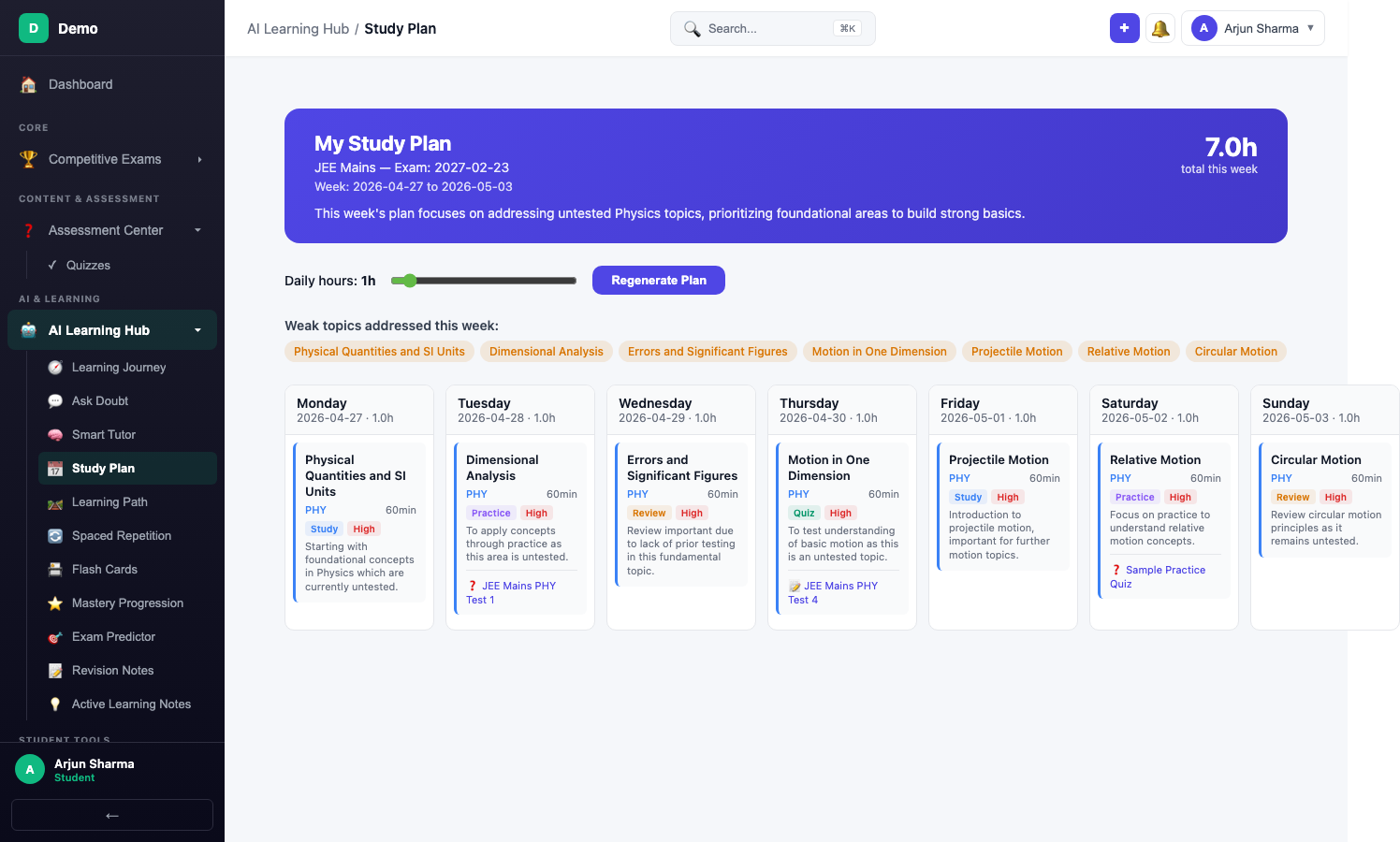
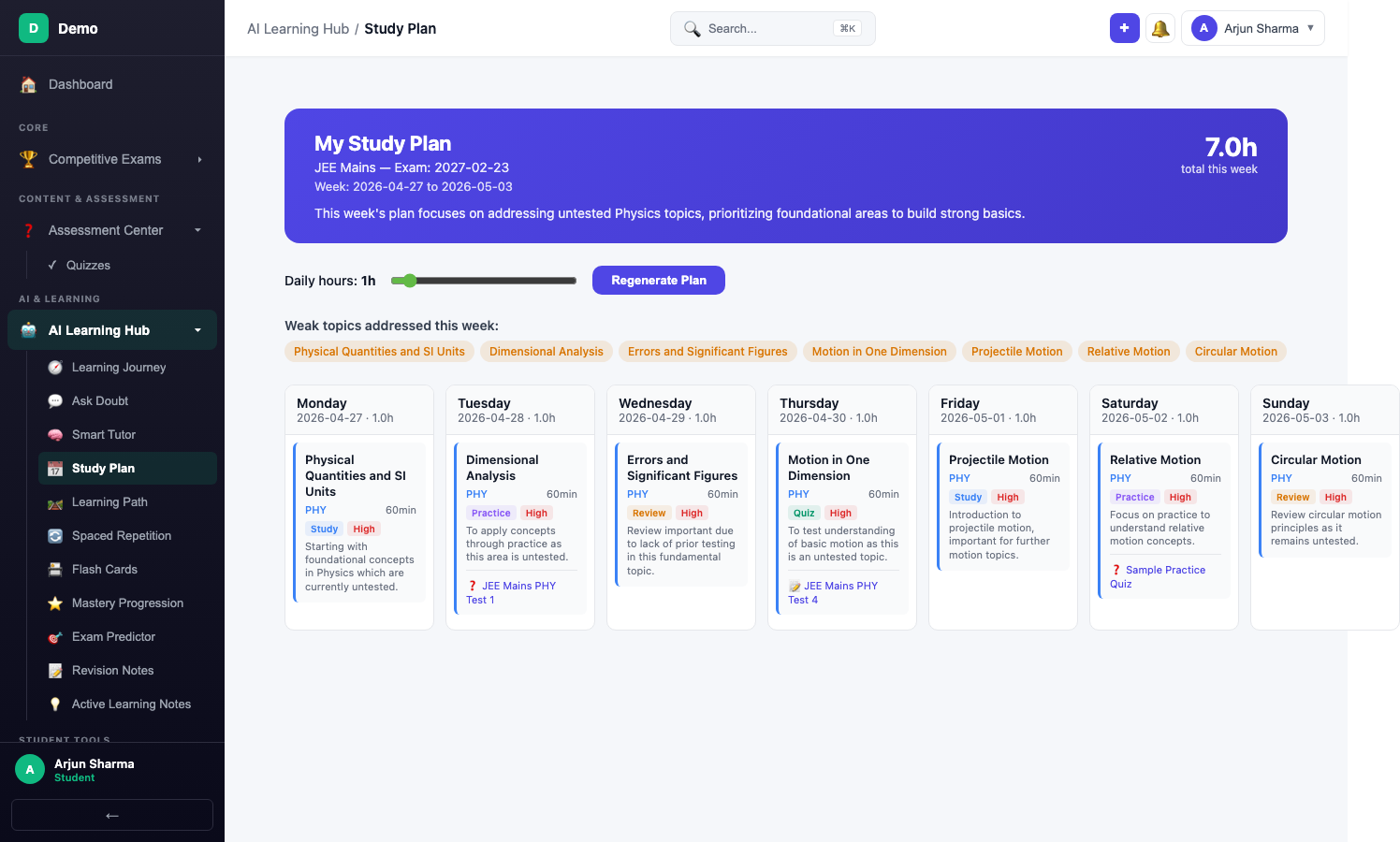
Click View Plan on the result page to see your AI-generated study plan, updated based on quiz performance.
After Submission
When you submit a quiz, several AI features are triggered automatically:
- Spaced Repetition — Cards are created/updated for topics you got wrong, scheduled using the SM-2 algorithm
- Error Journal — Wrong answers enter the error lifecycle (new → reviewing → mastered)
- Mastery Progression — Your topic mastery levels are recalculated based on accuracy
- Flash Cards — Auto-generated from your mistakes for quick review
- Active Learning Notes — AI creates concept notes focused on your weak areas
- Gamification — XP awarded, streak updated, achievements checked
- Study Plan — Your weekly plan adjusts based on quiz performance
Tips for Effective Practice
- Mix quiz types — Don't just do Practice quizzes. Use Adaptive to calibrate, Revision to fix gaps, and PYP for exam readiness.
- Review your errors — After every quiz, check the Deep Breakdown and visit the Error Journal. Mistakes you don't review will repeat.
- Use spaced repetition — The cards created from your wrong answers are scientifically optimised. Review them when they come due.
- Start with Practice, end with PYP — Early in your prep, focus on Practice and Custom tests. As the exam approaches, shift to PYP and Competition.
- Let the AI guide you — The Weakness Quiz and Revision quiz types exist because you're often blind to your own gaps. Trust the data.
- Take a Weakness Quiz weekly — Even if you think you know everything, the AI often reveals surprising gaps you didn't notice.